
Why Is My Certificate Not Trusted? A Systematic Troubleshooting Checklist
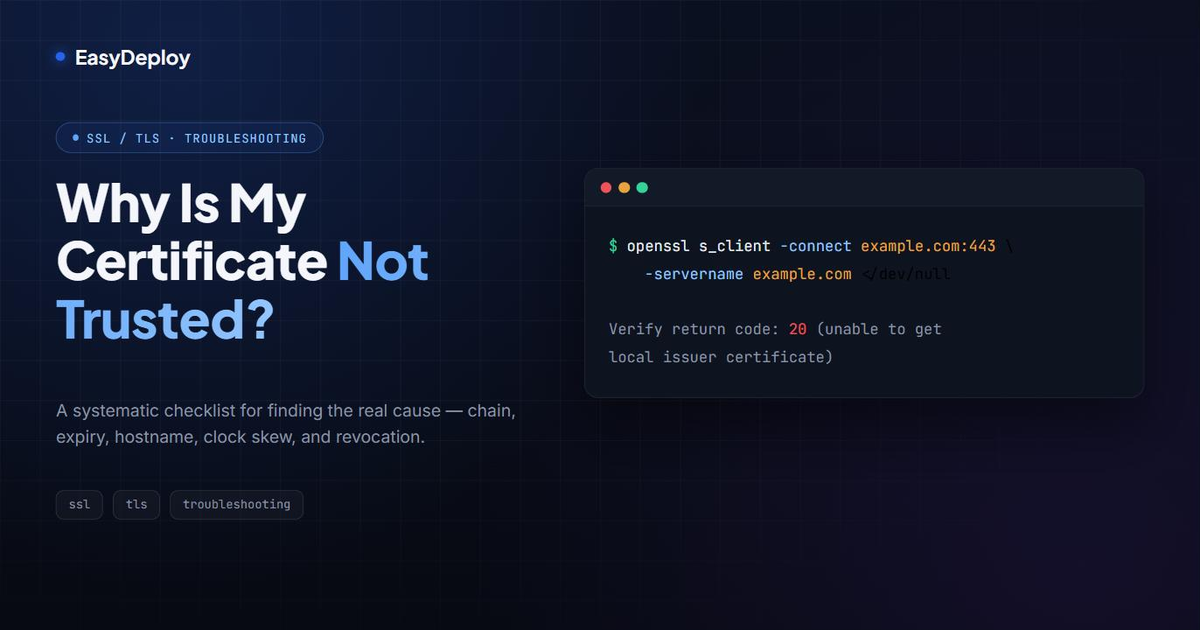
“Not trusted,” “not secure,” “your connection is not private” — every client phrases it differently, but the underlying question is always the same: could the client build a valid chain of trust from the certificate it received back to a root it already trusts? When it can’t, that’s the only error you get. It doesn’t tell you why.
This is a checklist for finding the actual cause, roughly in order of how often each one turns out to be it.
TL;DR: the fastest way to find out why
openssl s_client -connect example.com:443 -servername example.com </dev/null 2>/dev/null | grep -A2 "Verify return code"Swap example.com for your host. The Verify return code line at the bottom tells you exactly
which check failed. Jump to the quick reference below to
decode the number, then go straight to the matching step.
Step 1: Check if the chain is complete
By far the most common cause. The server needs to send the leaf certificate and every
intermediate CA certificate up to (but not including) a root the client already trusts. Miss an
intermediate and you get verify code 20 (unable to get local issuer certificate) or 21
(unable to verify the first certificate).
openssl s_client -connect example.com:443 -servername example.com -showcerts </dev/nullCount the certificates in the output. If you only see one (s: / i: pair), the server is only
sending the leaf. Fix: configure your server (or load balancer, or reverse proxy) to serve the
full chain, not just the end-entity certificate.
This is also why the same misconfigured server can look “fine” in a browser but fail in curl
or a backend HTTP client: browsers cache intermediates they’ve seen from other sites and quietly
complete the chain themselves. curl, most language HTTP libraries, and backend services with a
minimal trust store won’t do that favor for you.
Step 2: Check the expiration dates — of the whole chain, not just your certificate
openssl s_client -connect example.com:443 -servername example.com -showcerts </dev/null 2>/dev/null \
  | openssl x509 -noout -dates
That only checks the leaf. Your certificate can be valid while an intermediate above it has
expired — check every certificate s_client -showcerts printed, not just the first one. This is
exactly what caused several public incidents where a perfectly valid-looking certificate started
failing overnight because the CA’s intermediate expired.
Step 3: Check the hostname / SAN match
openssl s_client -connect example.com:443 -servername example.com -showcerts </dev/null 2>/dev/null \
  | openssl x509 -noout -subject -ext subjectAltName
Since Chrome 58, only the Subject Alternative Name (SAN) counts for hostname validation — the
Common Name is ignored. If the hostname you’re connecting to isn’t listed in subjectAltName
(including www. vs. bare domain, which are different hostnames), validation fails regardless
of everything else being correct.
Step 4: Check whether it’s self-signed or from a private CA the client doesn’t trust
Verify codes 18 (self-signed certificate) and 19 (self-signed certificate in the chain) mean
the root of the chain isn’t in the client’s trust store — expected for local development, and
expected for internal/private CAs until you explicitly distribute and install that CA’s
certificate on every machine or container that needs to trust it. If this is an internal
service, the fix isn’t a “real” certificate — it’s making sure your private CA is actually
trusted where it needs to be.
Step 5: Check the system clock
A certificate is only valid inside its notBefore / notAfter window. A client with a clock
that’s wrong — common on containers, VMs that lost NTP sync, or CI runners — will report a
perfectly valid certificate as expired or “not yet valid.” If step 2 says the dates are fine but
the error persists, check date (or w32tm /query /status on Windows) on the client, not the
server.
Step 6: Check you’re actually serving the certificate you think you are
On a server hosting multiple domains (multiple vhosts, multiple ingress rules, a load balancer
routing by SNI), it’s easy to end up serving the wrong certificate for a given hostname —
correct certificate, wrong site. Confirm the subject and subjectAltName you see in step 1
actually match the certificate you intended to serve there, not just any valid certificate.
Step 7: Check revocation status
The least common cause, but worth ruling out last: if the certificate was revoked, some clients will actively reject it via CRL or OCSP rather than just erroring generically. Check whether the certificate has an OCSP responder and whether it’s reachable:
openssl x509 -in cert.pem -noout -ocsp_uriIf the client can’t reach that URL (firewalled OCSP responder, expired OCSP staple), some clients fail closed and treat the certificate as untrusted even though it’s technically still valid.
Quick reference: verify return codes
| Code | Meaning | Go to |
|---|---|---|
10 | Certificate has expired | Step 2 |
18 | Self-signed certificate | Step 4 |
19 | Self-signed certificate in chain | Step 4 |
20 | Unable to get local issuer certificate | Step 1 |
21 | Unable to verify the first certificate | Step 1 |
24 | Invalid CA certificate | Step 1 or Step 2 |
From reactive troubleshooting to prevention
Every step above is something you check after someone already hit the error — a user, a teammate, or a service that just failed a handshake. The chain, expiry, and hostname issues in particular are exactly the kind of thing that’s obvious in hindsight and invisible until it breaks something. That’s the gap Certifier is built to close: it tracks every certificate’s chain and expiry across environments and flags the problem — missing intermediate, expiring leaf, mismatched SAN — before a client ever has to tell you about it.
Frequently asked questions
What does "certificate not trusted" actually mean?
It means the client (browser, curl, an HTTP library) couldn't build a valid chain of trust from the certificate it received back to a root CA it already trusts. That can happen for several unrelated reasons — an incomplete chain, an expired certificate, a hostname mismatch, a certificate signed by a CA the client doesn't know about, or a clock that's wrong — the error message is usually the same regardless of the cause.
What's the fastest way to find out why a certificate isn't trusted?
Run openssl s_client -connect host:443 -servername host </dev/null and read the "Verify return code" at the bottom of the output. It tells you exactly which check failed — expired, self-signed, unable to get local issuer certificate, and so on — instead of you guessing.
What is a "verify return code" and what do the common ones mean?
It's OpenSSL's numeric result for the chain-of-trust check. The ones you'll see most often: 0 is success, 10 is an expired certificate, 18 is a self-signed certificate, 20 is unable to get local issuer certificate (a missing intermediate), and 21 is unable to verify the first certificate (usually the same root cause as 20).
Why does a valid, non-expired certificate still show as untrusted?
The most common reason is an incomplete chain — the server is sending the leaf certificate but not the intermediate CA certificate that links it to a trusted root. Browsers often paper over this by caching intermediates from other sites, which is why the same misconfigured server can look fine in a browser but fail in curl or a backend service.
Why is my certificate untrusted only in some browsers or clients but not others?
Different clients ship different trust stores and different tolerance for incomplete chains. A browser that has recently cached the missing intermediate from another site will complete the chain itself; curl, a mobile app, or a backend service with a minimal trust store won't. If it fails in one place and not another, suspect an incomplete chain first.
Can an expired root or intermediate CA cause this even if my own certificate is fine?
Yes. Your leaf certificate can be perfectly valid and still fail validation if the intermediate CA that signed it has expired or been distrusted — this is exactly what happened when browsers removed trust from Symantec-issued roots. Check the expiry of every certificate in the chain, not just your own.
Related articles
Why Does My Client Certificate Not Work? Troubleshooting mTLS Client-Side Failures
A troubleshooting guide for client certificates that fail mTLS authentication — key/cert mismatches, missing Extended Key Usage, untrusted client CAs, and how to debug each one.
How to Generate an SSL Certificate: OpenSSL Step-by-Step Guide (Self-Signed & CSR)
A practical, copy-pasteable guide to generating SSL/TLS certificates with OpenSSL — private keys, self-signed certs, CSRs, and Subject Alternative Names.
SSL/TLS Certificates: the silent foundation of the internet that too often fails
Why SSL/TLS incidents are rarely about cryptography and mostly about management. Cases and takeaways for engineering teams.